Shopify colour showcase sections · Featured
Swatch for Shopify
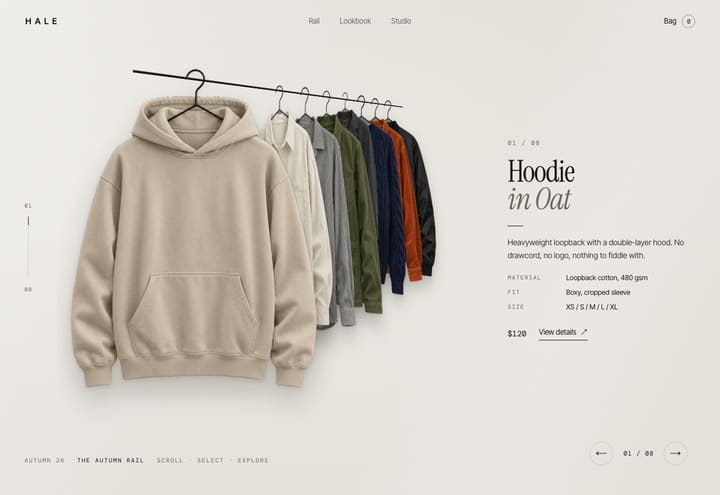
Swatch for Shopify is a pack of animated Shopify sections (Online Store 2.0) that drop into the theme a store already uses. Four animated Shopify sections for a product that comes in several colours, to drop into the theme you already have. Colour stage puts one product centre stage: pick a colour and it floods the screen from the swatch, a giant word runs behind, and the product turns around in 3D to show its back, with sizes, quantity and Add to bag on the stage. Feature scroll pins the product while the page scrolls through its details, stepping aside, zooming to each spot and drawing a line to the words. Colour split cuts two colours with a line you drag, so one product turns into the other. Colour index lists the range as giant names that flood with colour while the picture floats beside the pointer. Each section is one file you paste in, set up in the theme editor from your own products. It costs $29 with a commercial license for one store; Shopify sections are sold on their own and are not part of Full Access.
Runs here with demo products · no password · the bag is simulated
$29 once, for one Shopify store. Shopify sections are sold on their own and are not part of Full Access.
Pictures in the demo are placeholders for preview only, not licensed for a live site. Replace them with your own before launch. License
Specifications
- Platform
- Shopify · Online Store 2.0
- Format
- Drop-in sections for the theme you already have
- Editing
- Every word, colour and font in the theme editor
- Motion
- Shopify Online Store 2.0 sections (Liquid) + CSS 3D and scroll-driven motion (no libraries)
- Use case
- Shopify colour showcase sections
- Responsive
- Desktop → mobile
- License
- Commercial · one store · not part of Full Access
- Delivery
- Instant ZIP download
What the paid download adds
- The section files — paste one into Online Store → Themes → Edit code and it appears under Add section
- Works inside the theme you already have; nothing else in your store changes
- Every word, colour and font editable in the theme editor
- Shopify's own cart and checkout
- A translatable version with locale files, for theme developers
- Step-by-step setup guide
- Commercial license — one store
- Free updates to these sections
Swatch for Shopify — questions
How do I install Swatch for Shopify?
In your Shopify admin go to Online Store → Themes → Edit code. Under Sections choose Add a new section, name it after the file and paste the file's contents in. The section then appears under Add section in the theme editor. The guide in the download walks through every step and every setting.
Will Swatch for Shopify work with my theme?
The sections are standalone Online Store 2.0 sections: each carries its own styles and script, adds nothing to your theme's CSS, and has been tested inside a full Shopify theme. If your theme's header floats over the page, a setting leaves room for it.
Does Swatch for Shopify use Shopify's cart and checkout?
Yes. Add to bag puts the product in Shopify's own cart and checkout is Shopify's checkout, so payments, shipping, taxes, discounts and apps work as on any Shopify store.
How much does Swatch for Shopify cost, and is it in Full Access?
$29 once, with a commercial license for one store. Shopify sections are sold on their own and are not part of Full Access, which covers the website templates.
Can I see it working?
Yes. The live demo runs the sections with demo products: https://studio.smartduke.com/demo/swatch-shopify. It is a page on this site rather than a Shopify store, so there is no password and adding to the bag is simulated there.
Also from the studio


Part of
Put Swatch for Shopify on your store.
$29 buys the sections exactly as they run in the demo, with the setup guide, for one Shopify store and whichever theme it uses.