Shopify lookbook section · Featured
Solène Wardrobe for Shopify
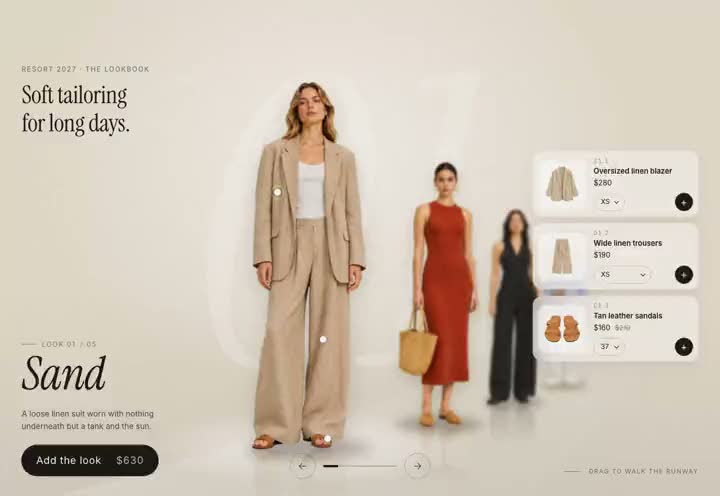
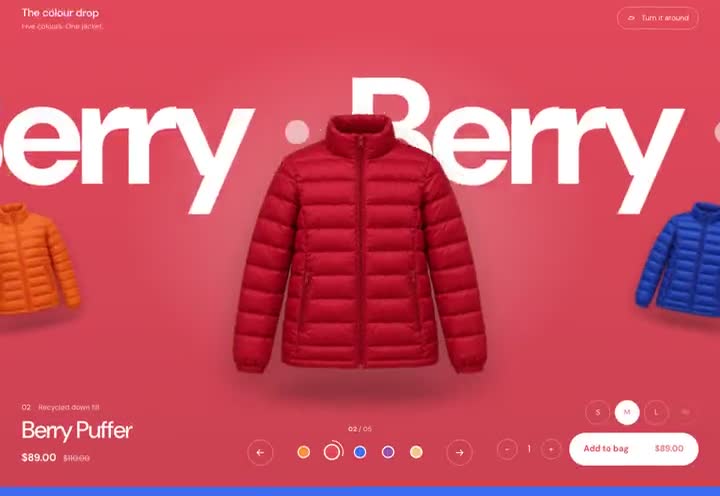
Solène Wardrobe for Shopify is an animated Shopify section (Online Store 2.0) that drops into the theme a store already uses. An animated Shopify section that dresses one model in your looks, to drop into the theme you already have. She stands full length in front of a giant headline while the outfit cards turn slowly round her on a leaning oval, passing behind her and in front. Choose a look and its card comes round to the front, its pieces fly off the card onto her, each to where it is worn, and she changes into it while the page takes the look's colour. What she has on is listed with prices, and Add to bag buys the set. It opens with a counter while the cards gather, then they spread out onto the oval. One file you paste in, set up in the theme editor from your own products and pictures. It comes with Full Access ($199 once, every template and Shopify theme), licensed for unlimited stores.
Runs here with demo products · no password · the bag is simulated
Solène Wardrobe for Shopify comes with Full Access: every Shopify theme and section, all 35 website templates and every future drop, for $199 once.
Pictures in the demo are placeholders for preview only, not licensed for a live site. Replace them with your own before launch. License
Specifications
- Platform
- Shopify · Online Store 2.0
- Format
- Drop-in sections for the theme you already have
- Editing
- Every word, colour and font in the theme editor
- Motion
- Shopify Online Store 2.0 section (Liquid) + orbiting cards and flying pieces (no libraries)
- Use case
- Shopify lookbook section
- Responsive
- Desktop → mobile
- License
- Commercial · unlimited stores · with Full Access
- Delivery
- Instant ZIP download
What the paid download adds
- The section files — paste one into Online Store → Themes → Edit code and it appears under Add section
- Works inside the theme you already have; nothing else in your store changes
- Every word, colour and font editable in the theme editor
- Shopify's own cart and checkout
- A translatable version with locale files, for theme developers
- Step-by-step setup guide
- Commercial license — unlimited stores
- Free updates to these sections
Solène Wardrobe for Shopify — questions
How do I install Solène Wardrobe for Shopify?
In your Shopify admin go to Online Store → Themes → Edit code. Under Sections choose Add a new section, name it after the file and paste the file's contents in. The section then appears under Add section in the theme editor. The guide in the download walks through every step and every setting.
Will Solène Wardrobe for Shopify work with my theme?
The sections are standalone Online Store 2.0 sections: each carries its own styles and script, adds nothing to your theme's CSS, and has been tested inside a full Shopify theme. If your theme's header floats over the page, a setting leaves room for it.
Does Solène Wardrobe for Shopify use Shopify's cart and checkout?
Yes. Add to bag puts the product in Shopify's own cart and checkout is Shopify's checkout, so payments, shipping, taxes, discounts and apps work as on any Shopify store.
How much does Solène Wardrobe for Shopify cost, and is it in Full Access?
It isn't sold on its own: it comes with Full Access, $199 once for every Shopify theme and section, every website template and every future drop, licensed for unlimited stores and projects.
Can I see it working?
Yes. The live demo runs the sections with demo products: https://studio.smartduke.com/demo/solene-wardrobe-shopify. It is a page on this site rather than a Shopify store, so there is no password and adding to the bag is simulated there.
Also from the studio

Part of
Put Solène Wardrobe for Shopify on your store.
Full Access gets you the sections exactly as they run in the demo, with the setup guide, plus every theme and template on the shelf — $199 once.